Managing a modern CDN and streaming infrastructure shouldn’t require switching between multiple tools, fragmented analytics panels, and complex configuration screens.
As live streaming, VOD delivery, multistreaming, and CDN acceleration become more integrated, businesses need a centralized control panel that provides full visibility and operational control in one place.
A well-designed CDN dashboard should do more than display usage statistics — it should simplify deployment, monitoring, optimization, and scaling.
The sections below provide a preview of selected dashboard modules. The full control panel includes additional configuration layers, advanced optimization tools, and deeper customization options designed for professional streaming and CDN environments.
What a Modern CDN Dashboard Should Provide
Before looking at specific features, it’s important to define expectations.
A professional CDN control panel should allow you to:
- Deploy HTTP Pull and Push zones
- Manage live streams and multistreaming
- Monitor bandwidth and resource usage
- View real-time analytics and cache efficiency
- Configure SSL and security settings
- Control transcoding and encoding workflows
- Manage video players and branding
- Access logs and monitoring insights
- Scale without operational complexity
Without centralized control, managing streaming infrastructure becomes reactive instead of strategic.
A Unified Dashboard for CDN, Live & Video Management
Version 5 of the 5centsCDN dashboard is designed around usability, transparency, and operational control — shaped directly by user feedback and real-world streaming workflows.
Instead of separating tools across multiple panels, the dashboard integrates:
- CDN Zones for VOD & Website Accerelation
- Live Stream controls
- Video Encoding
- Analytics
- DNS
- Player management
- Security settings
- Resource statistics
The modules shown below represent a high-level preview of the interface. Each section includes additional advanced configuration options and deeper customization capabilities not fully displayed here.
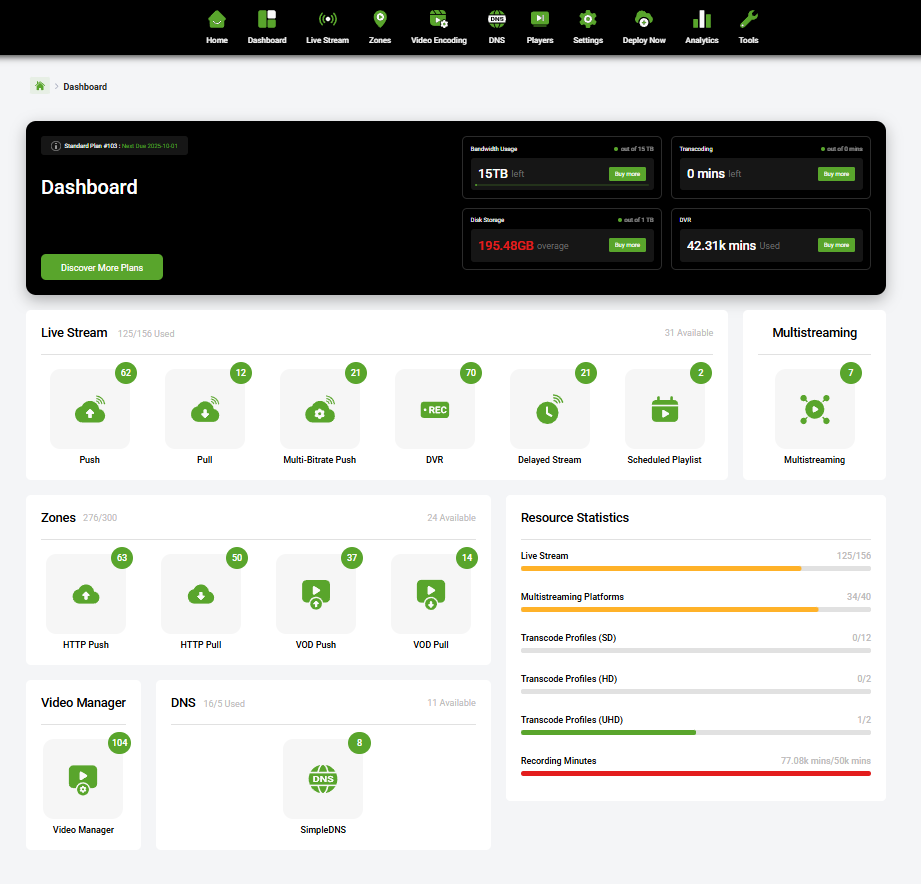
Real-Time Resource Monitoring & Transparency
Operational visibility is critical for scaling streaming infrastructure.
The dashboard provides real-time insight into:
- Bandwidth usage
- Disk storage consumption
- Live stream deployment count
- DVR minutes
- Transcoding usage
- Resource limits and availability
This level of transparency helps teams:
- Avoid unexpected overages
- Monitor infrastructure growth
- Plan scaling strategies
- Maintain performance stability
While the summary panels provide immediate clarity, additional historical data and usage breakdown tools are accessible within extended monitoring views.
Live Stream Management from a Single Panel
Managing live streams should be intuitive and scalable.
The dashboard allows teams to:
- Deploy Push or Pull streams
- Configure multi-bitrate streams
- Enable DVR and delayed streaming
- Schedule playlists
- Activate multistreaming to social platforms
- Monitor stream health status
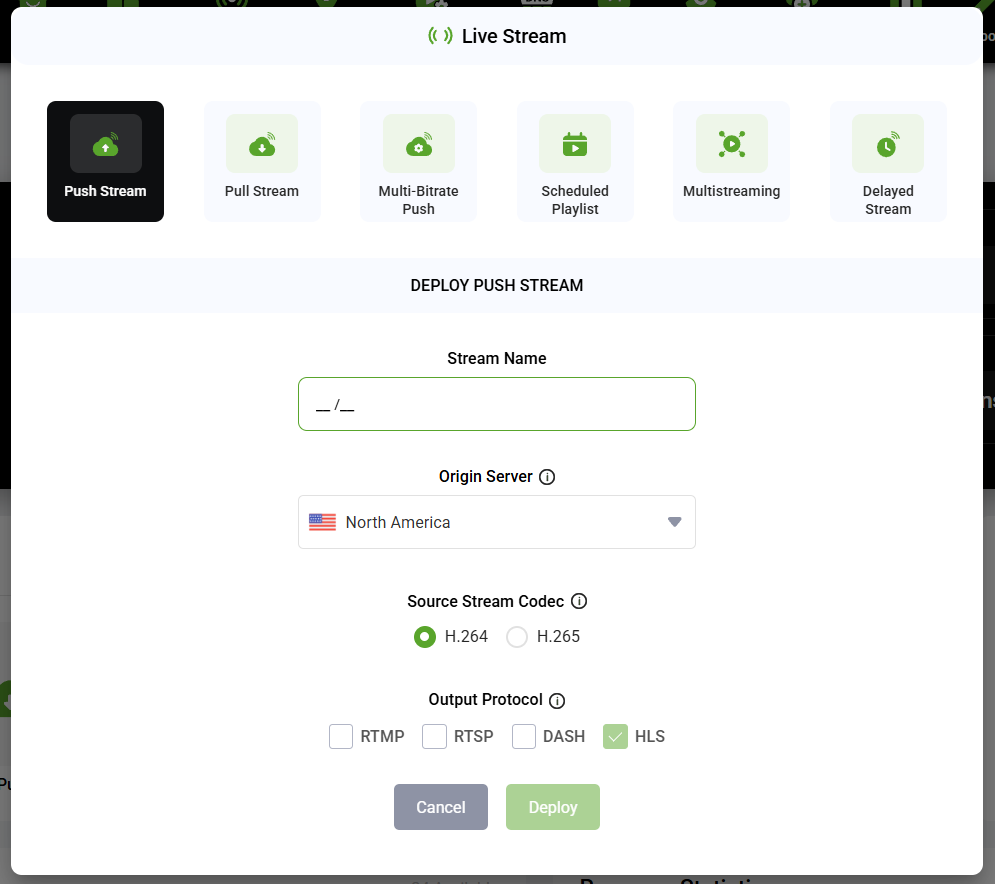
The interface above showcases core deployment options, with additional bitrate control, security configurations, and stream-level customization like transcoding and many more available inside each stream panel.
CDN Zone Deployment & Content Acceleration
For static and dynamic content delivery, the dashboard supports:
- HTTP Pull zones
- HTTP Push zones
- VOD Pull and Push configurations
- Custom CNAME setup
- Default cache time configuration
- SSL selection and HTTP/2 enablement
- Origin authentication control
These tools allow businesses to optimize content delivery performance without complex manual configuration. For background on how HTTP caching works at the protocol level, Mozilla’s guide to HTTP caching explains the underlying mechanisms that power CDN performance optimization.
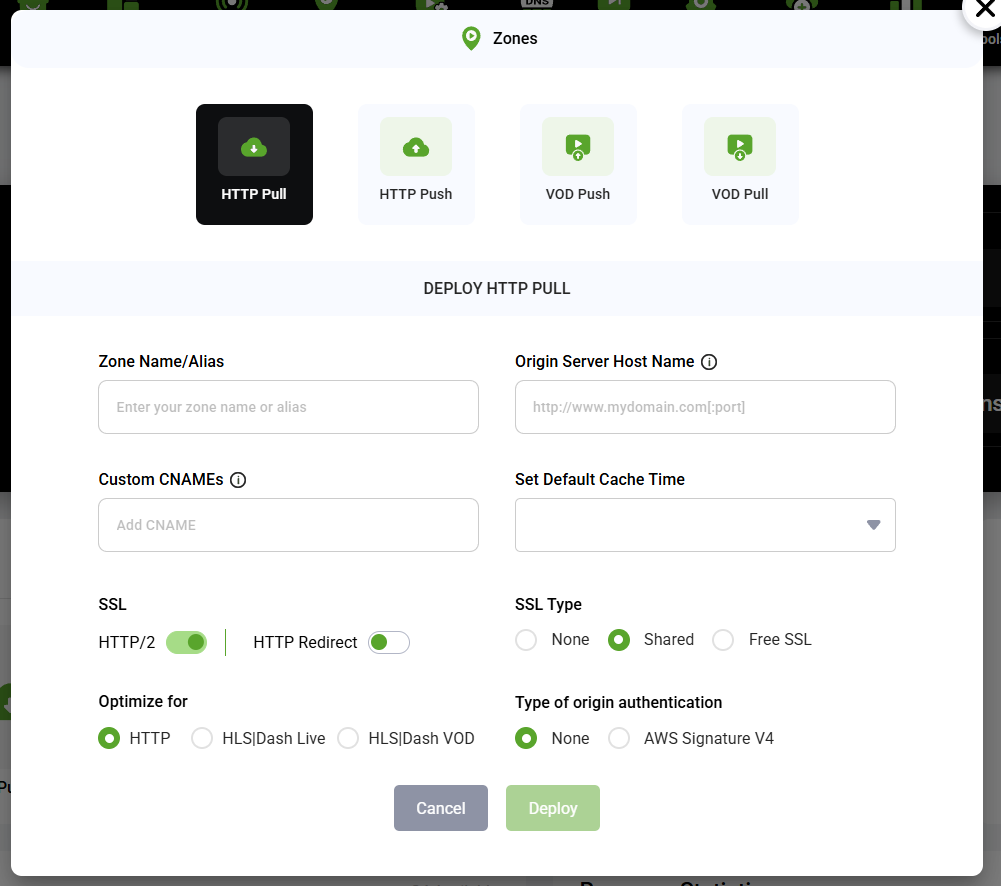
Zone deployment shown here represents the initial setup stage. Advanced caching rules, header manipulation, and optimization controls are available within the full configuration view.
Integrated Analytics & Cache Insights
Understanding performance is as important as deploying it.
The analytics section provides insight into:
- Requests
- Bandwidth consumption
- Unique visitors
- Cache hit ratio
- Cache bypass statistics
- Miss rates
- Traffic patterns
- And many more
These insights help teams optimize caching rules, reduce origin load, and improve overall CDN efficiency.
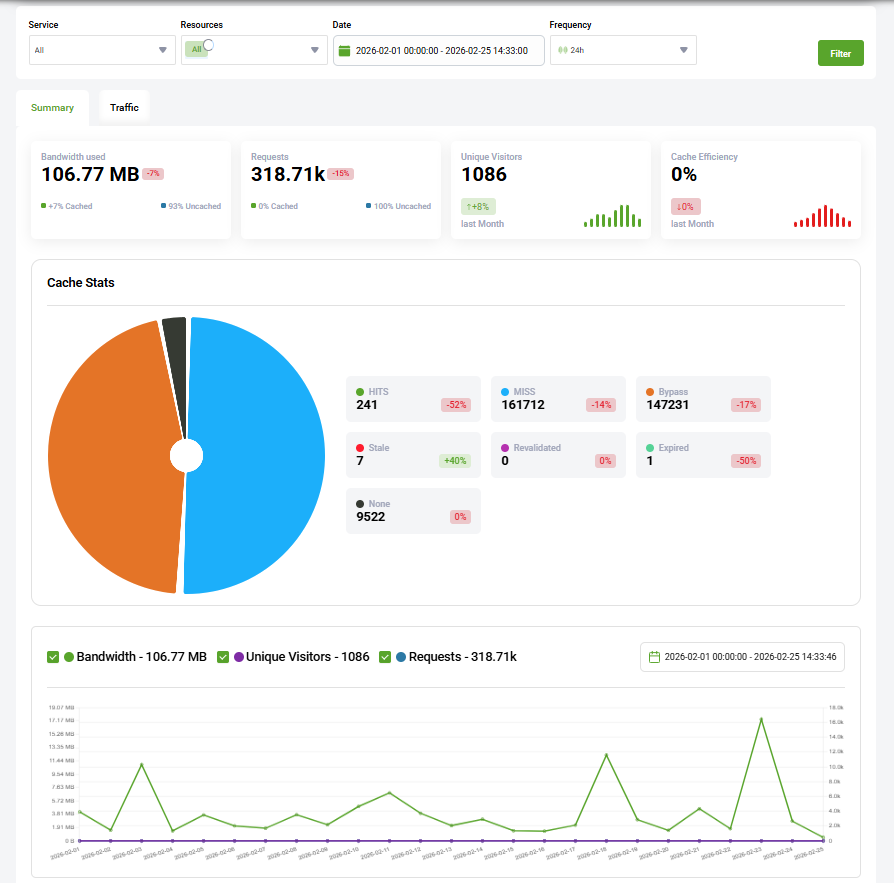
The analytics view shown is a summary layer. Detailed traffic segmentation, regional insights, historical comparisons, and deeper performance breakdowns are accessible within the extended analytics dashboard. You can refer to this blog for more details on analytics which we have published specifically for our analytics overview.
Video Player & Encoding Control
A modern streaming dashboard should also include playback management.
The player management section enables:
- Branded player skins
- Primary and secondary color customization
- Poster configuration
- Ad enablement controls
- Branding toggles
Combined with encoding management, this ensures content delivery and playback customization exist within the same ecosystem.
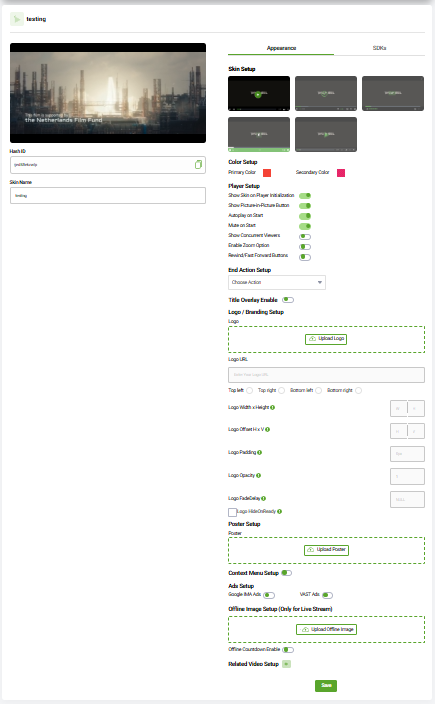
Player customization extends beyond visual branding, including advanced playback behavior controls and monetization configurations available within each player setup.
Security, SSL & System Settings
Security configuration should be accessible and centralized.
The dashboard includes:
- SSL management
- Domain verification
- API integration
- Activity logs
- Raw logs access
- Bandwidth usage history
- Auto recharge configuration
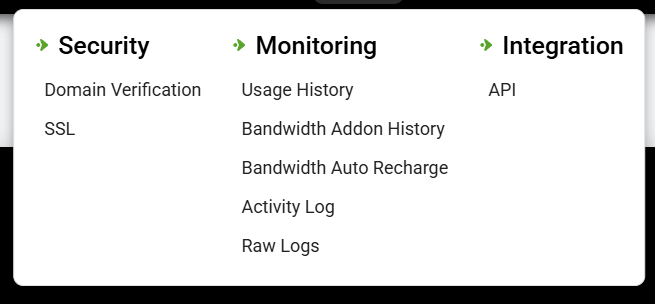
Security and monitoring settings include additional granular configuration options tailored for enterprise-level workflows and advanced streaming environments.
Built for Depth, Designed for Simplicity
While the screenshots above provide a structured look at selected dashboard modules, they represent only a surface-level preview of the available capabilities.
Version 5 is designed to scale with operational complexity — from simple deployments to advanced multi-layer streaming architectures. Additional configuration panels, optimization controls, and system-level management tools are accessible within each module to support professional environments.
The goal is clarity at the surface, with depth available when needed.
Why a Unified Streaming Dashboard Matters
Managing CDN acceleration, live streaming, VOD delivery, and analytics separately leads to inefficiencies.
A unified dashboard enables:
- Faster deployment
- Better decision-making
- Reduced operational overhead
- Clear performance visibility
- Simplified scaling
For organizations running media platforms, OTT services, enterprise streaming, or content-heavy websites, centralized infrastructure control is no longer optional — it’s essential.
Final Thoughts
A modern CDN dashboard should provide more than configuration settings — it should act as the operational core of your streaming infrastructure.
With integrated live streaming controls, CDN deployment, analytics, encoding, and security management, Version 5 of the 5centsCDN dashboard is built to support scalable, performance-driven digital delivery.
If you’re evaluating CDN management platforms or looking to consolidate your streaming control systems, exploring a unified dashboard architecture is a strong starting point. You can contact us for booking a demo meeting to further deep dive into our products.