This article explains how to create simulcast on live stream PUSH, PULL or scheduled playlists.

To create a simulcast platform, Please follow the steps

  1. Login to 5centsCDN console
  2. Move to Live streams
  3. Select PUSH/PULL/Scheduled Playlist (based on your requirements)
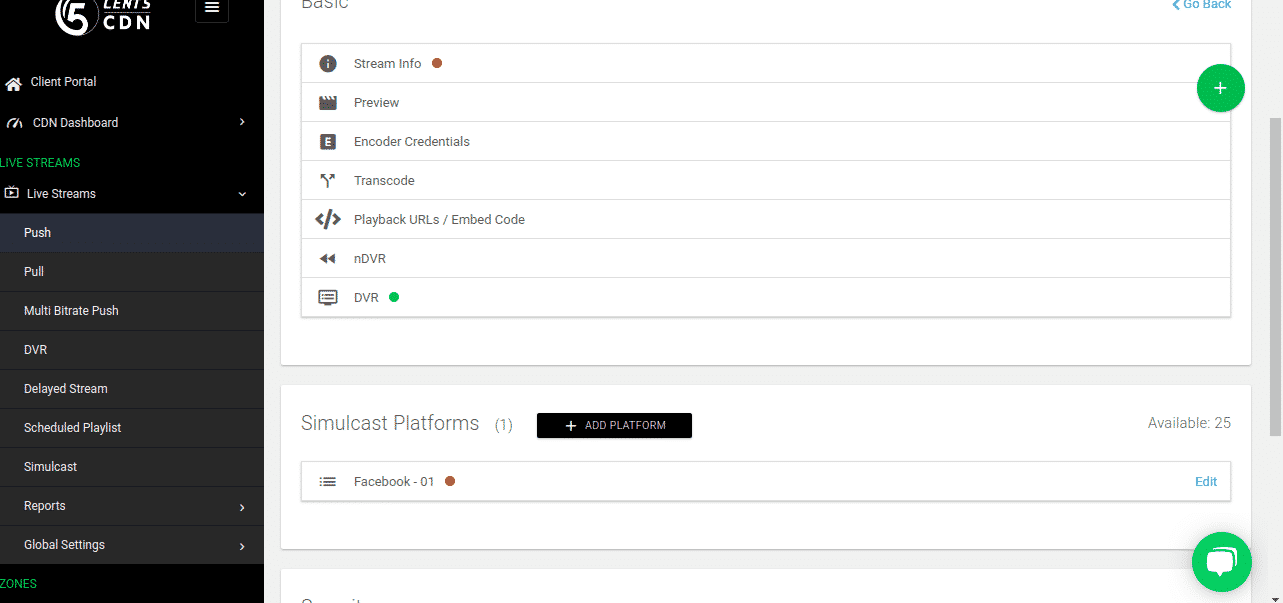
  4. Click the Manage button
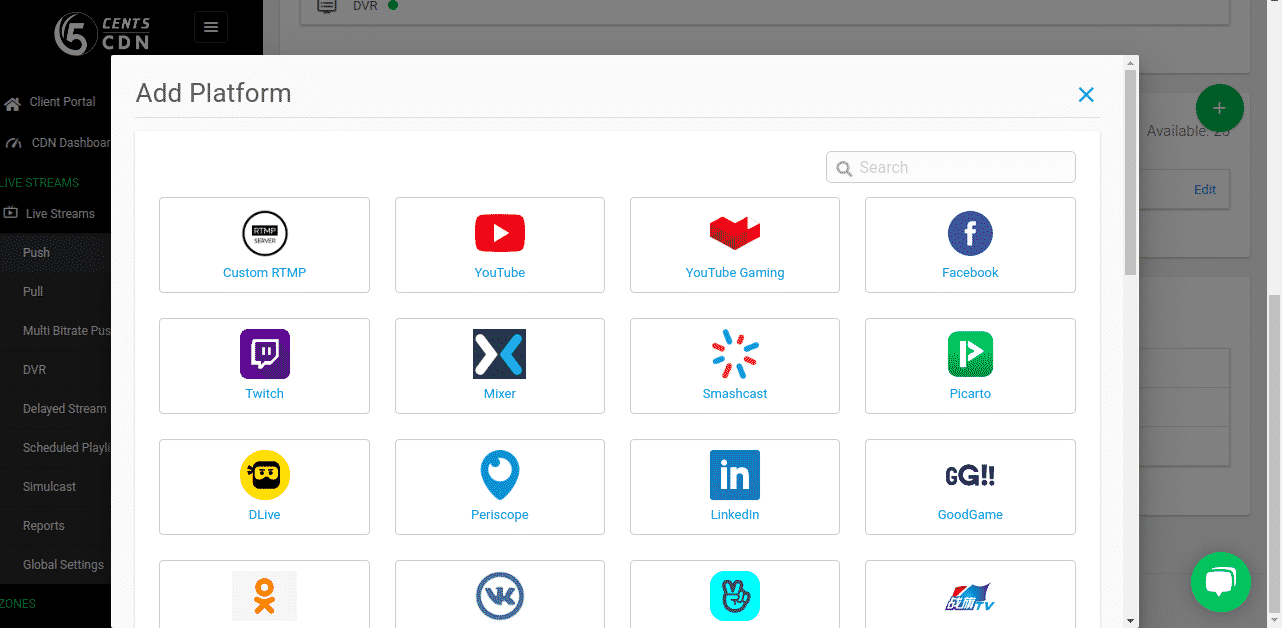
  5. Scroll down the page and click the “Add platform” option
  6. Select the platform from the list
  7. Provide the RTMP URL and Stream key in specified columns
  8. Click the save button

Once the source stream is working then the platform will automatically work .
Comments

  1. Pingback: รับเขียนแบบบ้าน

  2. Pingback: Open link

  3. Pingback: detailing BMW

  4. Pingback: n-ethylpentedrone kopen | buy 2mmc | 6 apb pellets | buy 5-mapb | deschloroketamine | 4-mpd (4-methylpentedrone) | 6 apb powder | 2-mmc pellets, 5-mapb | 2-mmc crystalline powder | 4bmc poeder | acheter 3-me-pcp | buy cathinonen | buy 6 apb powder |NEP N-

  5. Pingback: บริษัทรับเขียนโปรแกรม

  6. Pingback: ปั้มไลค์

  7. Pingback: โรงงานผลิตสปริง

  8. Pingback: ufa789

  9. Pingback: Mostbet

  10. Pingback: ดูบอลสด888

  11. Pingback: las vegas search engine optimization expert

  12. Pingback: Plinko Casino Online Sverige

  13. Pingback: pg168

  14. Pingback: situs toto

  15. Pingback: สมัครสมาชิกของ AKBET

  16. Pingback: ลิควิดคลอลาเจนนํ้าสวีเดน

  17. Pingback: Relax Gaming ค่ายสล็อตน้องใหม่

  18. Pingback: ไอติมงานแต่ง

  19. Pingback: Apple gift card

  20. Pingback: Ethical Elephant Sanctuary

  21. Pingback: โคมไฟ

  22. Pingback: monixbet online blackjack spelen

  23. Pingback: Where to Play Plinko Canada

  24. Pingback: พรมรถยนต์

  25. Pingback: lawyer

  26. Pingback: คลินิกกายภาพบำบัด ใกล้ฉัน

  27. Pingback: เว็บตรงฝากถอนง่าย

  28. Pingback: websites

  29. Pingback: ถังน้ำตราบ้าน

  30. Pingback: ทัวร์ลาว

Leave a Reply