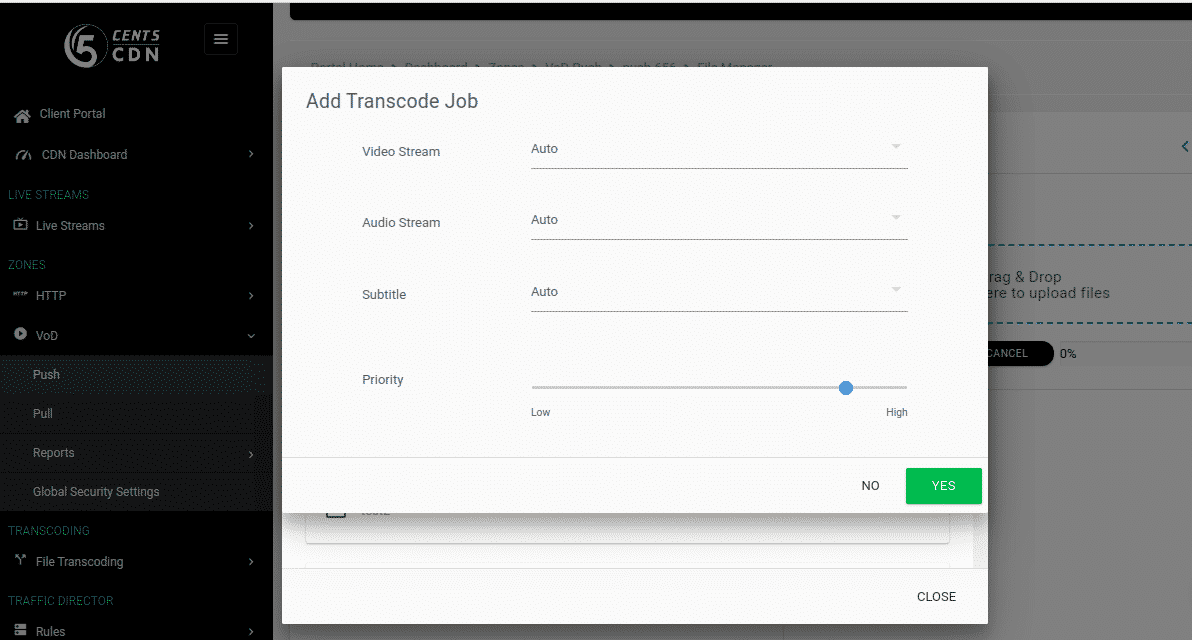
This feature is used to set the priority to your file while transcoding. Please follow the below steps to set the priority.
- Log in to your 5centsCDN account.
- Move to zones and select HTTP/VoD push.
- Select your push zone.
- Click File manager & Transcoding.
- Click the file name that you want to transcode.
- Click the transcode icon.
- Select the profile that you want to transcode.
- In the redirected page, you can set the priority by scrolling the line 0 to 100 (100 = High priority).
- Click the ” Yes” button to transcode.