For changing console password, follow the below steps
- Login to 5centsCDN console
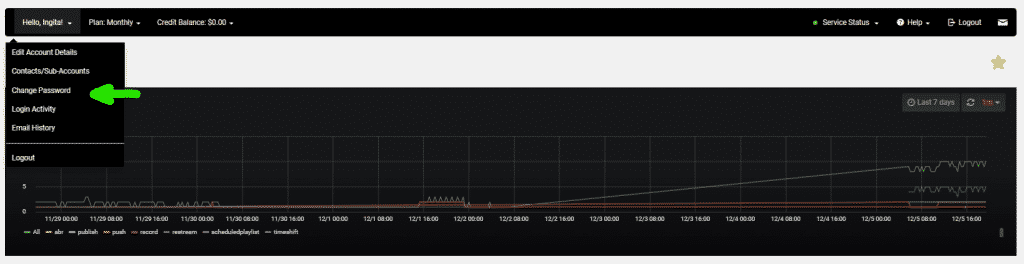
- Click on the drop-down menu beside your name on the NAV bar!
- From the list select change password
- Type the existing password and new password
- Click on save changes

For changing console password, follow the below steps
Type to search articles