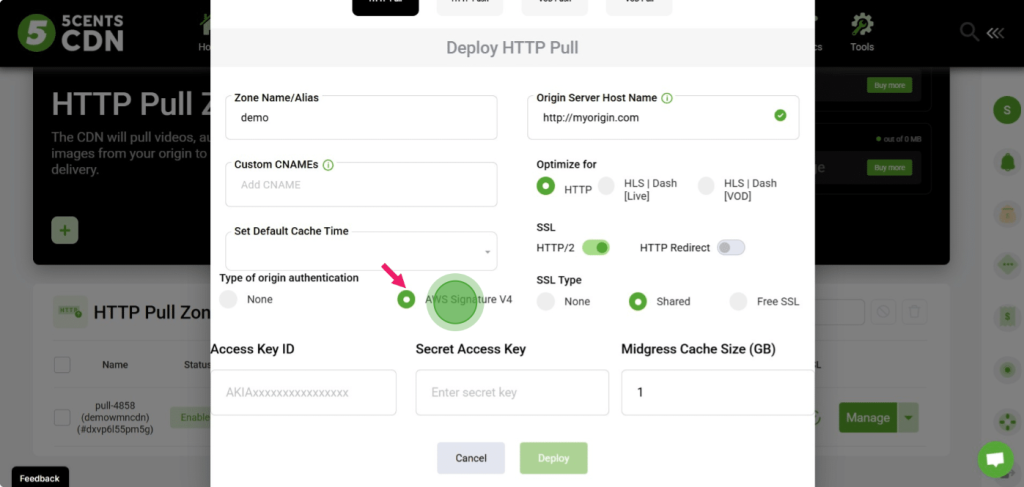
With 5centsCDN, you can securely pull content from a private AWS S3 bucket using AWS authentication. This ensures content is cached on the CDN while reducing AWS pull request charges.
Enabling AWS Authentication
- Select Origin Authentication
In the pull zone creation page, choose AWS Signature V4 as the type of origin authentication. - Provide AWS Credentials
Enter the credentials required to access your private bucket:- Access Key ID – your AWS access key.
- Secret Access Key – your AWS secret key.
- Configure Midgress Cache Size
Specify the cache size (in GB) for the CDN to store requested content.- Default: 1 GB
- Increasing the cache size reduces repeated pull requests from AWS and saves costs.
- Deploy the Pull Zone
Once AWS authentication and cache size are configured, click Deploy. The pull zone will start caching content from your private bucket.